Introduction
Welcome to the enhanced version of our deal qualification frameworks! We've made significant improvements to make your deal qualification process more intuitive, insightful, and actionable. This guide will help you understand and make the most of these new features.
What's New?
We've enhanced the BANT, MEDDPIC, and Discovery Health (formerly SPICED) frameworks with:
- Actionable insights that identify gaps in your qualification
- Visual progress tracking to see how your deals are evolving
- Unified view of all frameworks to prevent siloed analysis
- Suggested next actions based on your deal's current state
- Evidence validation tools to strengthen your qualification
Overview Tab Enhancements
Framework Summary Cards
On the Overview tab, you'll now see a unified summary of all three qualification frameworks:
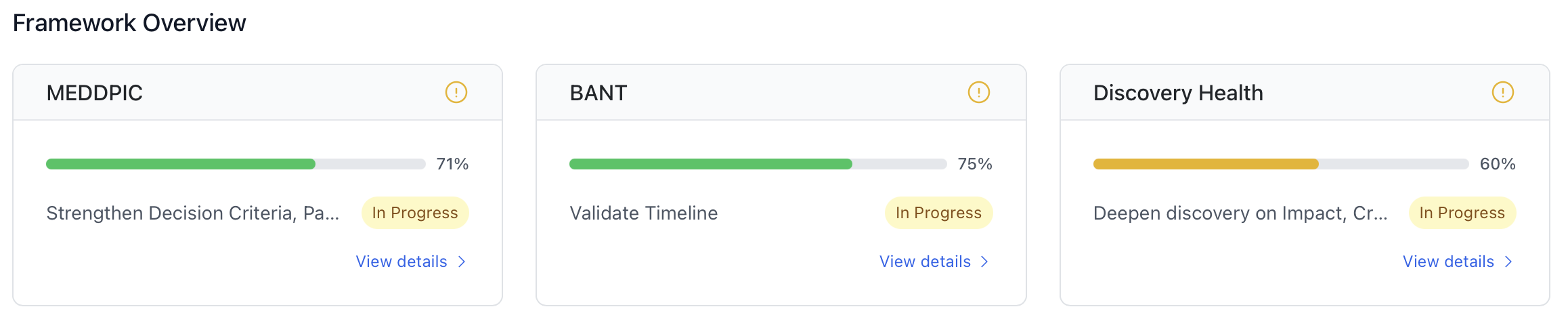
Framework Overview: Each card shows framework completion percentage with color-coded progress bars and next steps
How to use it:
- Each card shows the framework health and completion percentage
- Red, yellow, or green indicators show the risk level of each framework
- Click any card to navigate directly to that framework tab
- Use this view to quickly identify which qualification areas need attention
Framework Tab Features
1. Insight Banners
At the top of each framework tab, you'll see a banner with a key insight:
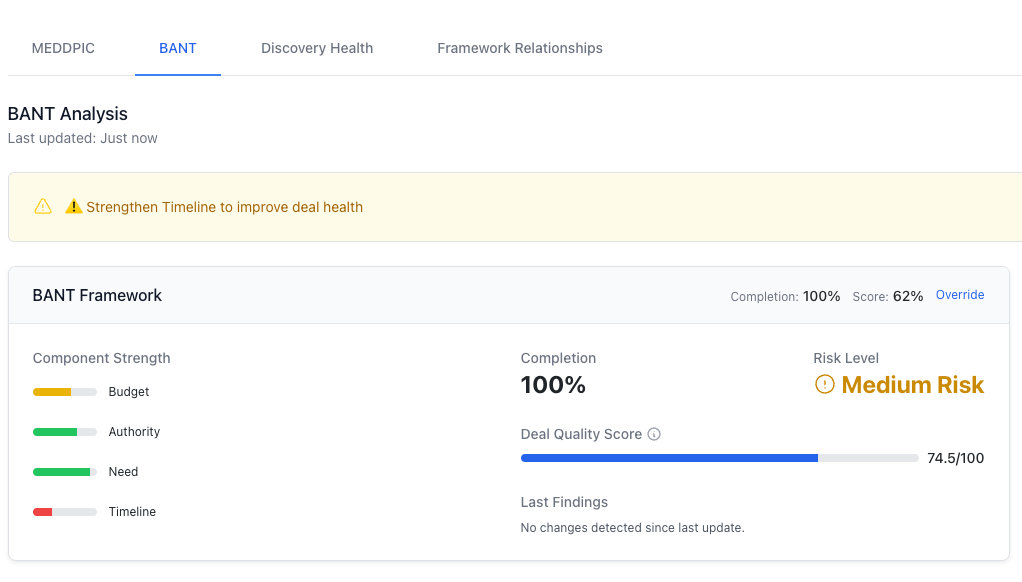
Insight Banner: Highlights the most important action you should take based on framework analysis
How to use it:
- These banners highlight the most important action you should take
- Pay attention to the icons: ✅ (good), ⚠️ (caution), or 🚨 (urgent attention needed)
- Use these insights to focus your qualification efforts
2. Framework Component Cards
Each component of the framework (like Budget in BANT) now shows more details:
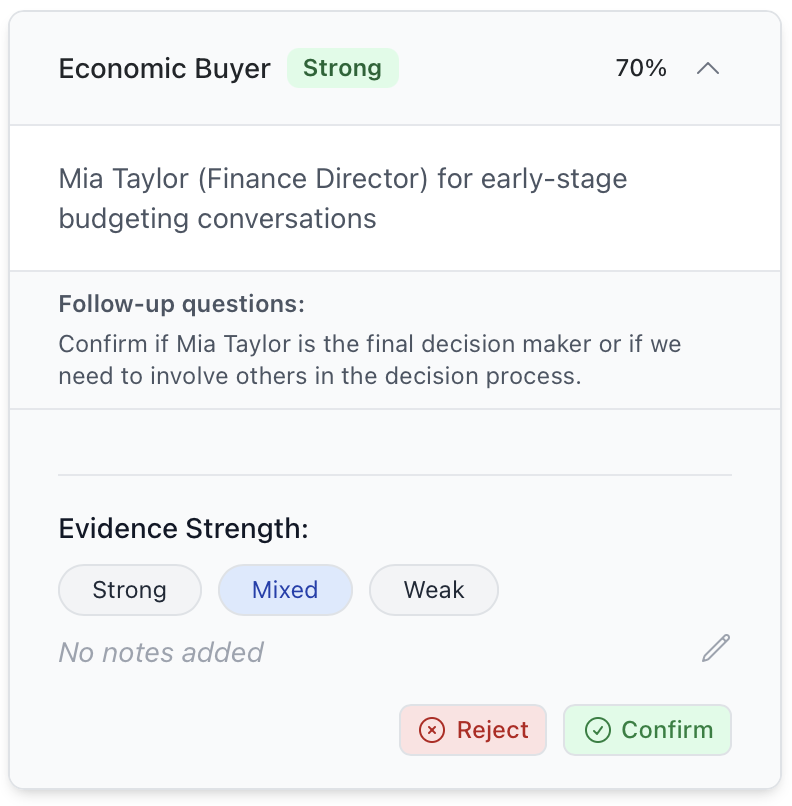
Framework Component Cards: Expanded view showing individual framework components with strength indicators and evidence details
How to use it:
- Green, yellow, or red indicators show the strength of each component
- Click the dropdown arrow to see evidence, source information, and add notes
- Use the evidence strength classification to identify weak areas
- Add notes to evidence to provide context for your team
3. Next Best Actions
The right sidebar now shows prioritized actions based on framework gaps:
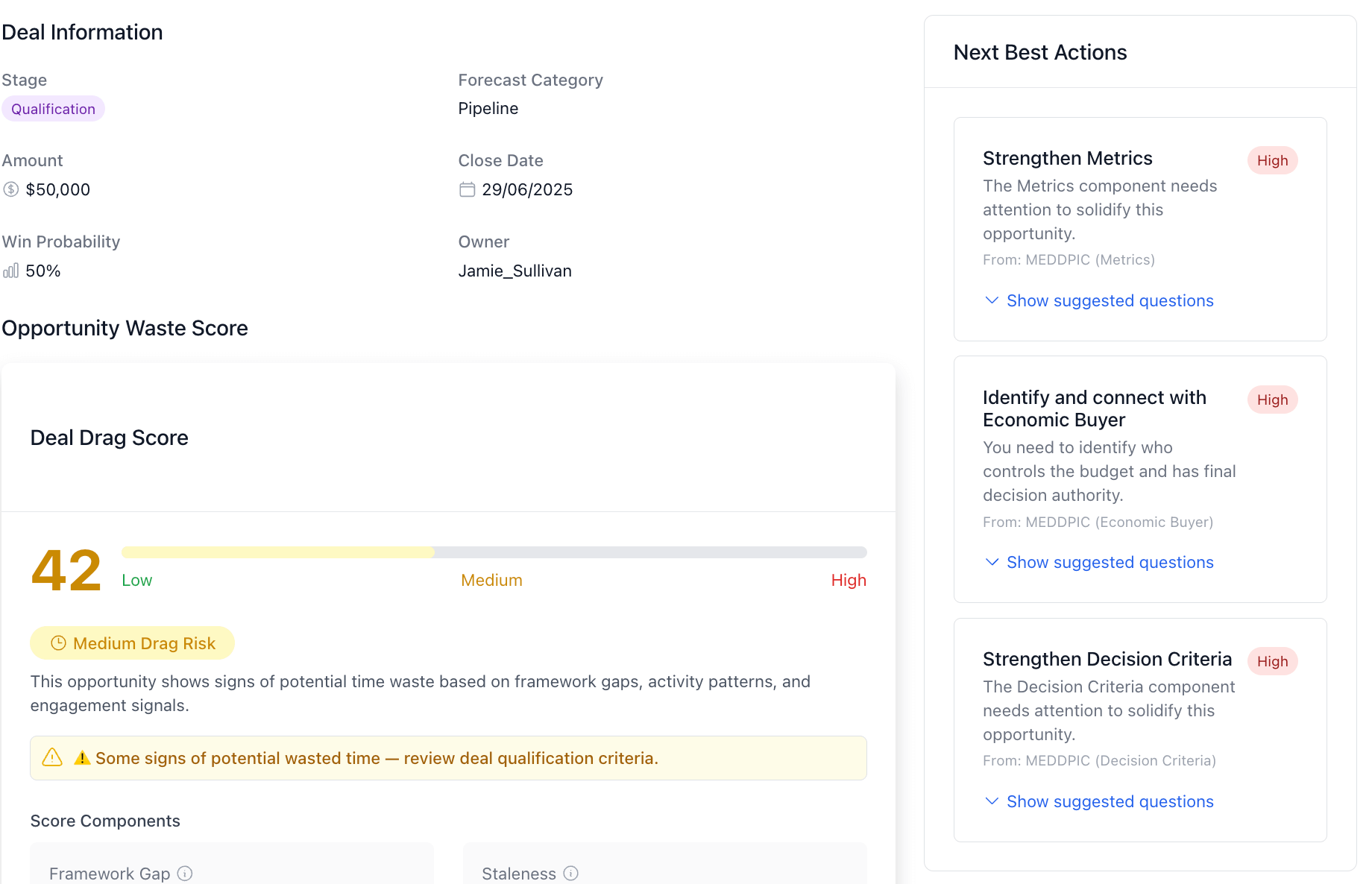
Next Best Actions: Shows prioritized actions based on framework gaps
How to use it:
- Focus on high-priority actions (indicated in red)
- Click an action to see suggested questions for your next customer conversation
- Use the "Add to meeting agenda" button to save these for your next call
- These actions are automatically generated based on your framework gaps
4. Framework Relationships
We've added a visualization showing how components across frameworks relate:
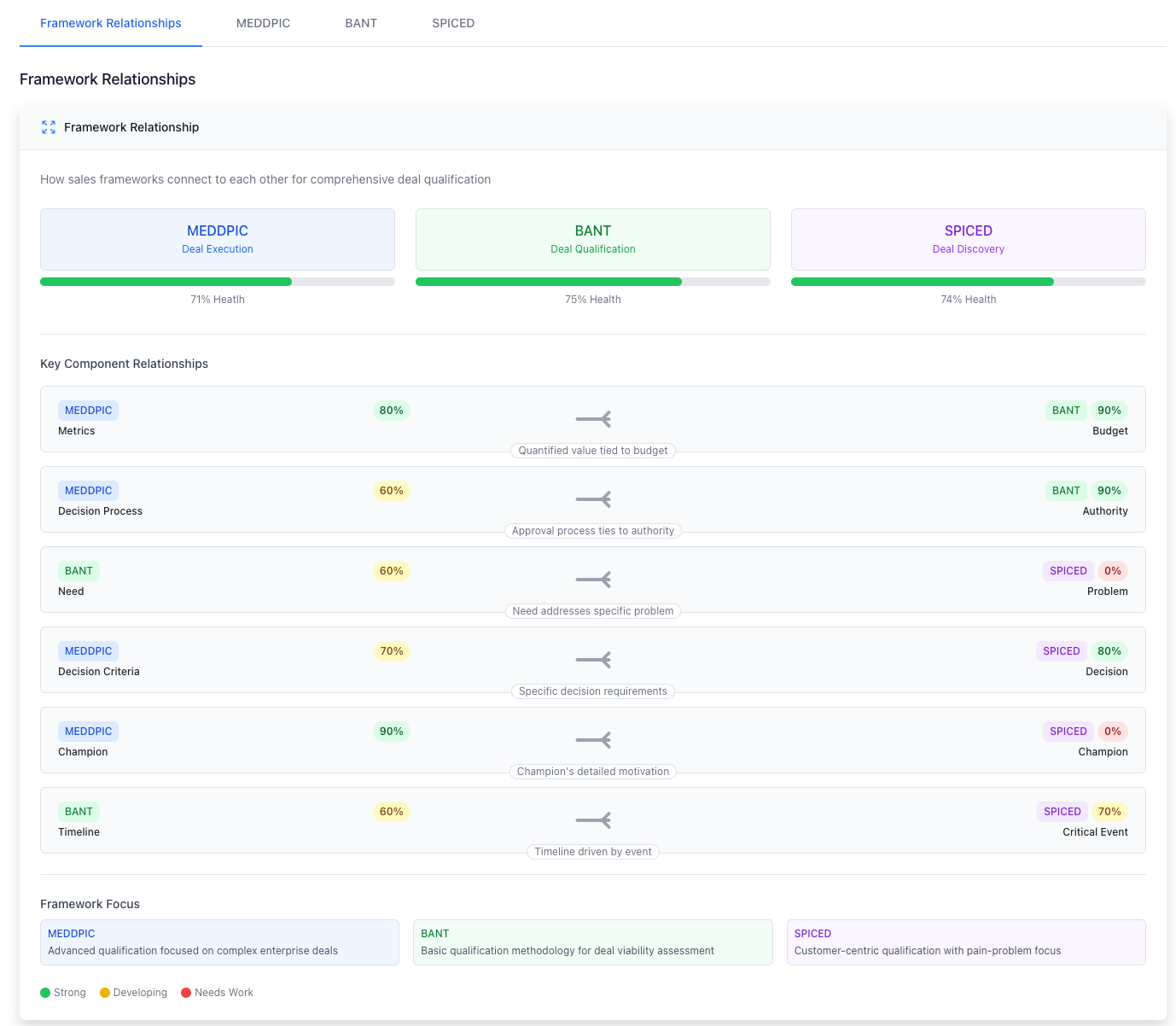
How to use it:
- See how components like "Economic Buyer" (MEDDPIC) and "Authority" (BANT) are related
- Use this to avoid duplicating work across frameworks
- Ensure comprehensive qualification by addressing related components together
5. Framework Guidance
Each framework now includes educational content to help you use it effectively:
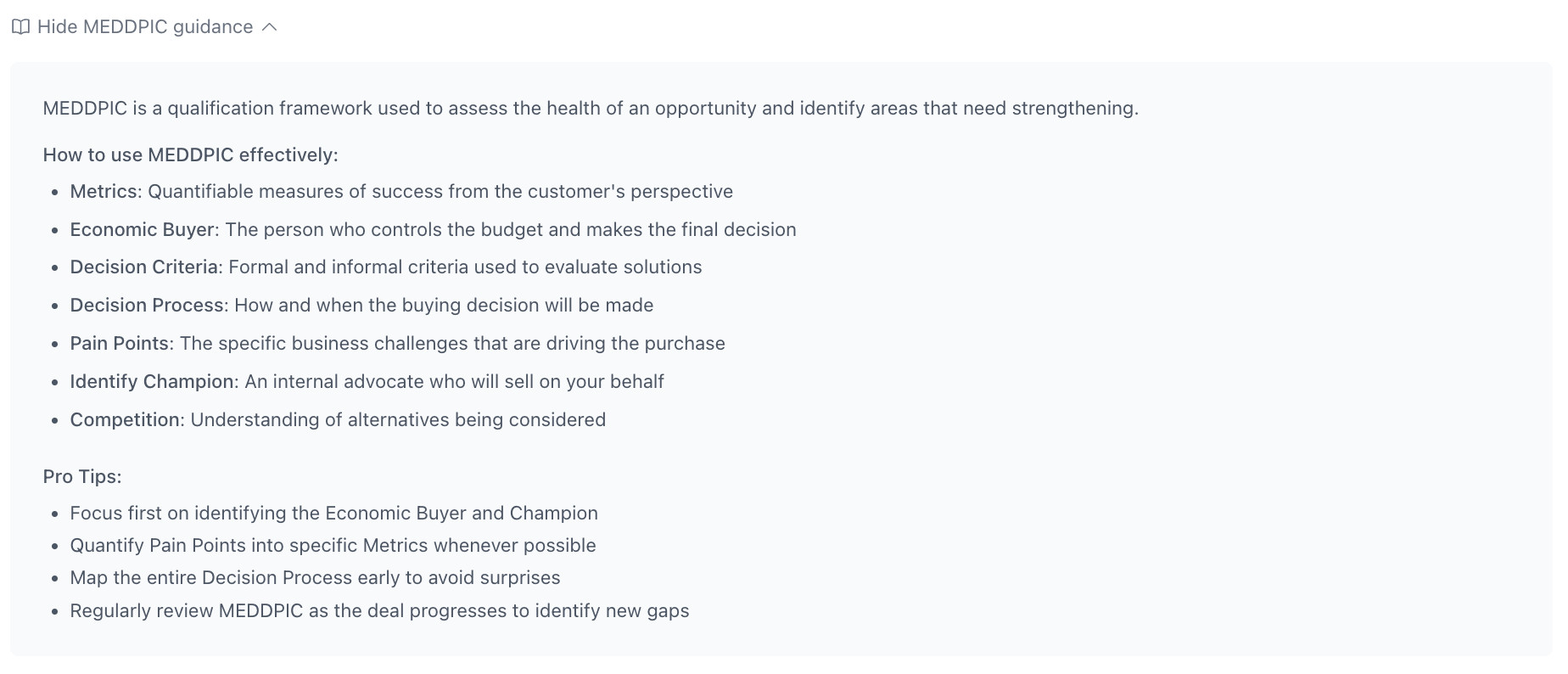
Framework Guidance: Educational content to help you understand and use each framework component effectively
How to use it:
- Click "Show [Framework] guidance" to view best practices
- Use this as a refresher on what each component means
- Find specific tips for effectively qualifying each component
Framework-Specific Features
MEDDPIC Enhancements
- More detailed Pain and Champion qualification
- Integration with decision process mapping
- Clearer metrics validation tools
BANT Enhancements
- Budget validation guidance for different industries
- Authority mapping visualization
- Timeline milestone tracking
SPICED Enhancements
- Renamed for clarity from SPICED to Discovery Health
- Enhanced customer situation analysis
- Better integration with impact assessment
Tips for Maximizing Value
- Start with the Overview - Use the framework summary cards to identify where to focus
- Prioritize Red Areas - Address components with red indicators first
- Save Suggested Questions - Add the suggested questions to your meeting agenda before calls
- Add Evidence Notes - Document context around evidence to strengthen your qualification
- Track Progress Over Time - Use the timeline view to show deal momentum in forecast calls
Best Practices by Deal Stage
Qualification Stage
- Focus on completing BANT components first
- Use suggested questions to validate budget and need
- Document evidence with detailed notes
Discovery Stage
- Shift focus to Discovery Health components
- Use the framework relationships to expand on existing qualification
- Add evidence from discovery calls with proper strength categorization
Proposal Stage
- Ensure MEDDPIC components are thoroughly completed
- Review timeline view to confirm steady progress
- Address any remaining yellow or red indicators
Negotiation Stage
- Validate all framework components are green or yellow
- Use evidence notes to support negotiation strategy
- Review timeline to demonstrate qualification strength to stakeholders
Getting Help
If you have questions about using these enhanced framework tools, please contact:
- Your sales enablement team: Contact Support
- Your sales operations support: Contact Support
Coming Soon
We're continuing to enhance these tools with:
- AI-powered suggestions based on deal patterns
- Additional prompts for missing components
- Integration with call recording analysis
- Mobile app support for updating frameworks on the go
We hope these enhancements help you qualify deals more effectively and increase your win rate. Your feedback is valuable as we continue to improve these tools!