Introduction
Summit53 has introduced a powerful new feature to help you focus your time on the most promising opportunities. The Deal Drag Score (previously called Opportunity Waste Score) helps you identify deals that may be stalling or have qualification gaps, allowing you to make data-driven decisions about which opportunities to pursue and which to qualify out.
This guide will help you understand how to use this feature effectively to maximize your selling time and improve your pipeline quality.
What is the Deal Drag Score?
The Deal Drag Score is a metric that analyzes your opportunities to identify potential time drains. It considers several factors:
- Framework Gaps - Missing critical components in qualification frameworks (MEDDPIC, BANT, SPICED, etc.)
- Deal Staleness - How long since meaningful activity has occurred
- Activity vs. Movement - Whether there's real progression despite activity
- AI Insights - Smart analysis of deal patterns and signals
A lower score is better - it indicates less "drag" on the deal's progress.
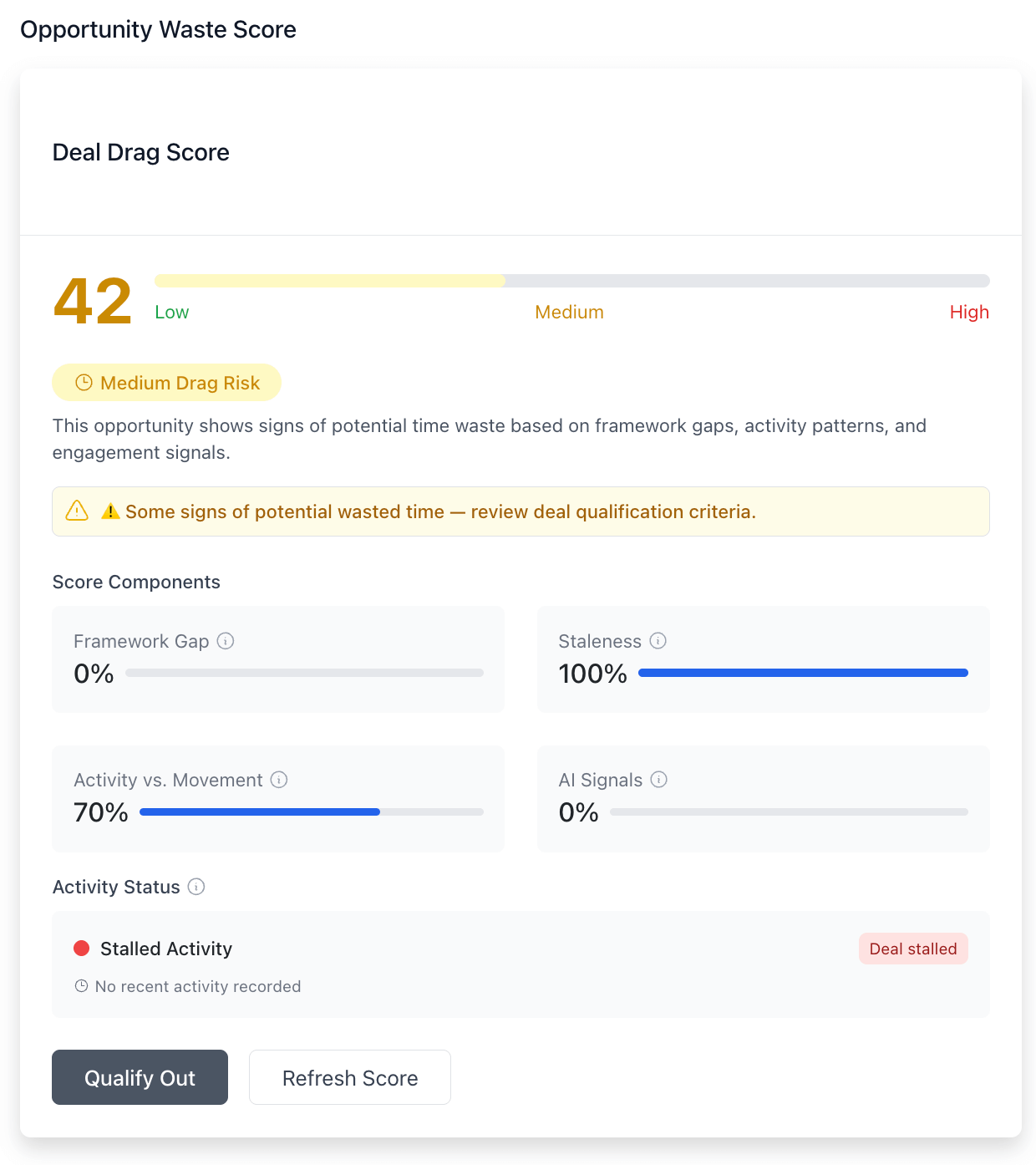
Deal Drag Score: A visual representation of deal drag - lower scores indicate deals with stronger progression
Reading Your Deal Drag Indicators
The Time Waste Alert Banner
When a deal has a significant drag score, you'll see a yellow or red alert banner at the top of the opportunity. This is your first indication that the deal may need attention.
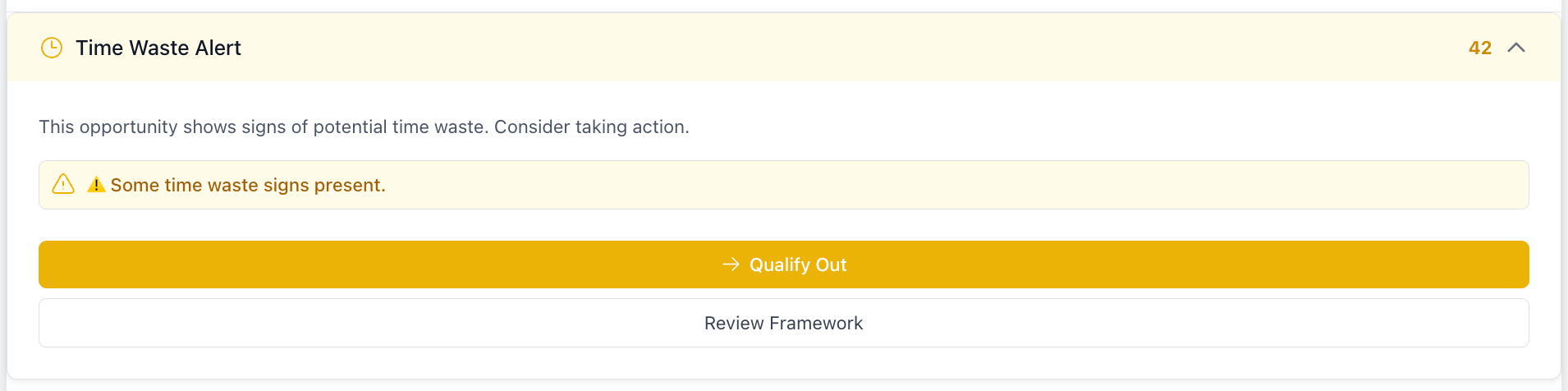
Time Waste Alert: The alert banner appears at the top of opportunities with high drag scores
The color indicates the severity:
- Yellow: Moderate concern - review when convenient
- Red: High concern - review immediately
The Deal Drag Score Dashboard
In the Overview tab, you'll find a detailed Deal Drag Score breakdown:
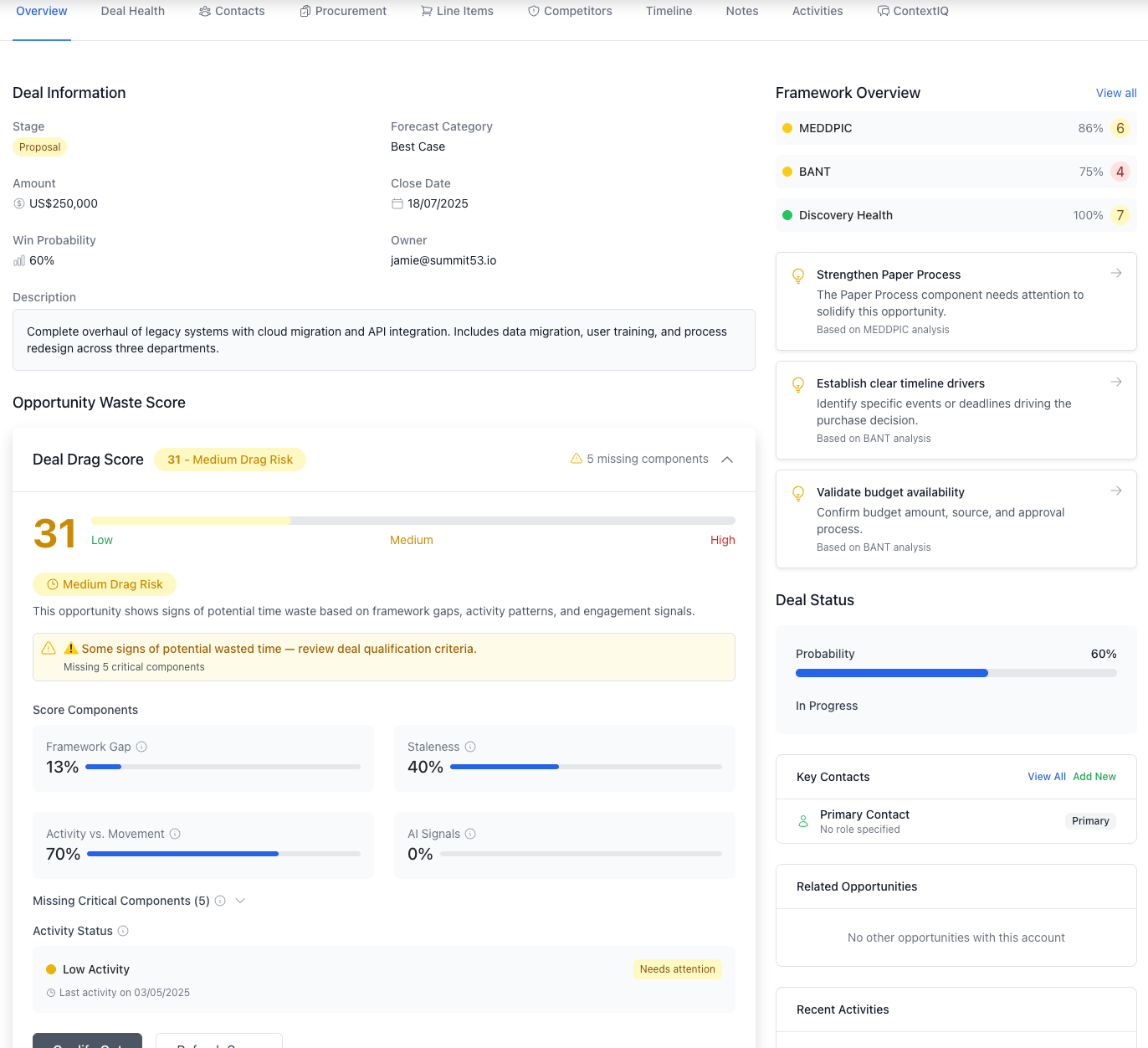
Deal Drag Score Dashboard: Detailed breakdown showing which factors contribute most to the overall score
Key elements include:
- Overall Score (0-100, lower is better)
- Component Scores showing which factors contribute most to drag
- Missing Framework Components highlighting qualification gaps
- Activity Status showing engagement levels
Taking Action: The Qualify-Out Process
When you determine an opportunity should be qualified out, Summit53 provides a structured workflow:
- Click the "Qualify Out" button in either the alert banner or score dashboard
- Select the primary reason for qualifying out
- Add any secondary reasons and notes for context
- Choose a nurture path for future engagement with the account
- Set a follow-up date if applicable
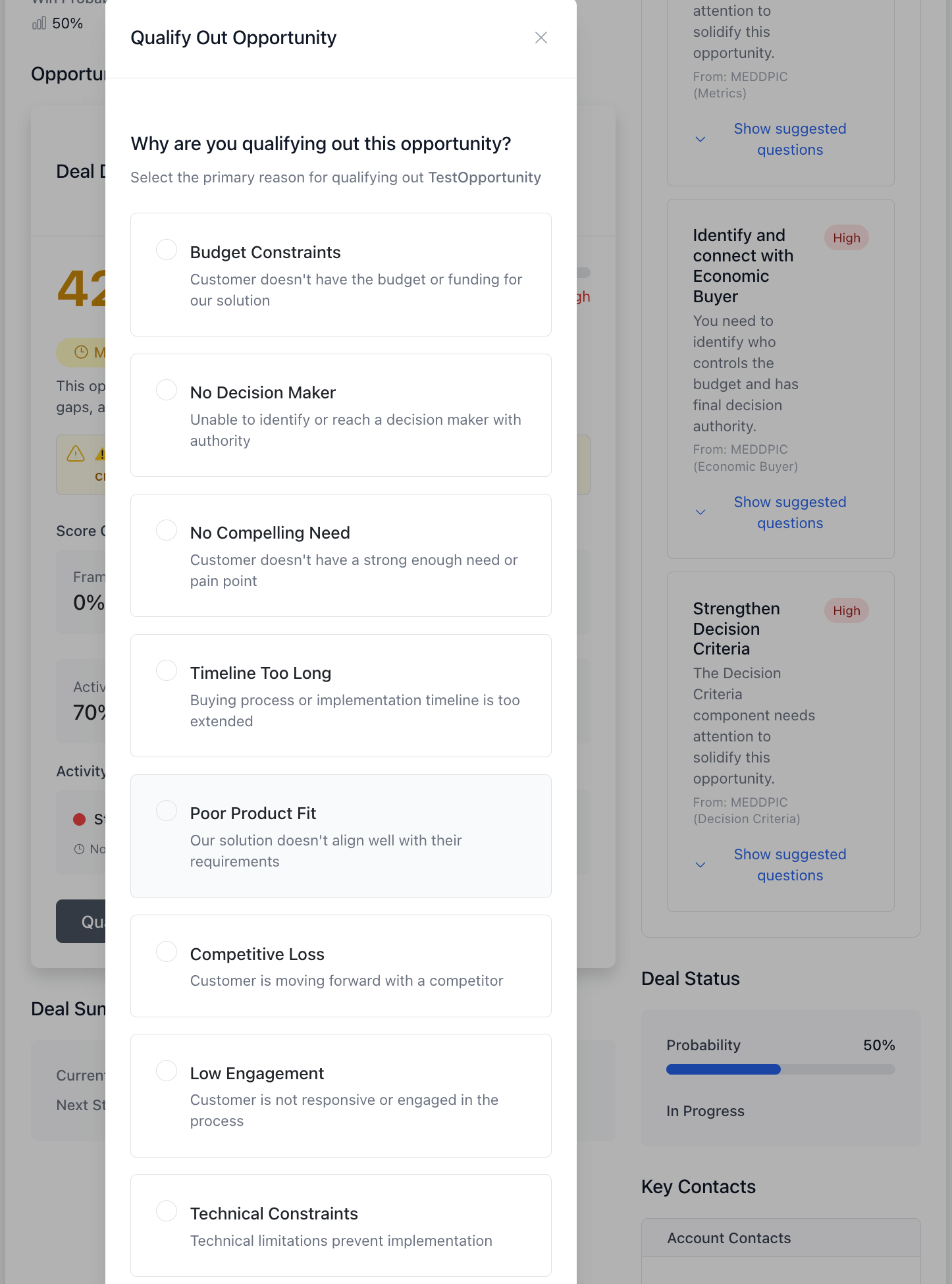
Qualify Out Workflow: The interface guides you through the qualify-out process with structured options
Qualification Reasons
Common qualification reasons include:
- Budget Constraints
- No Decision Maker
- No Compelling Need
- Timeline Too Long
- Poor Product Fit
- Competitive Loss
- Low Engagement
Nurture Paths
When qualifying out, you can select from several nurture options:
- No Follow-up Needed - Unlikely to ever be a fit
- Contact in Future - Revisit after a specific time
- Add to Newsletter - Keep in touch with general communications
- Marketing Nurture - Place in an automated nurturing sequence
- Pass to Partner - Better fit for a partner solution
Best Practices
When to Review Deal Drag Scores
- Daily: Check any opportunities with red alerts
- Weekly: Review yellow alerts and opportunities with scores over 50
- Monthly: Analyze your qualified-out deals for patterns
Framework Tips
The Deal Drag Score is heavily influenced by framework completeness. For best results:
- Complete all required qualification fields as early as possible
- Update framework components when new information emerges
- Pay special attention to components flagged as "missing critical components"
Activity Management
To reduce your activity-related drag scores:
- Maintain regular, meaningful touchpoints with active opportunities
- Ensure activity leads to actual deal progression
- Document significant interactions promptly
Reporting and Analysis
Your sales leaders will be analyzing qualification patterns to improve the sales process. This includes:
- Most common qualification reasons
- Time saved through early qualification
- Framework components most often missing
- Rep-specific qualification patterns
This analysis helps the entire team qualify deals more effectively and focus on winnable opportunities.
FAQ
Q: Does a low score mean I should qualify out the deal?
A: Not necessarily. The score is just one input for your decision. Use your judgment and knowledge of the account.
Q: What's a "good" Deal Drag Score?
A: Generally, scores below 30 indicate healthy deals, 30-60 suggest review, and above 60 indicate significant concerns.
Q: How often is the score updated?
A: Scores update automatically whenever you add activities or update framework components.
Q: Can I see Deal Drag Scores for my team members' deals?
A: Sales managers have access to team-wide Deal Drag analytics.
Q: What happens to qualified-out opportunities?
A: They're moved to "Closed Lost" with the qualification reason documented, and if a nurture path is set, appropriate follow-up is scheduled.
Support
If you have questions about the Deal Drag Score or qualify-out process, contact your sales operations team or your sales manager.
Summit53 - Helping you focus on the right opportunities, every day