Overview
Contact Freshness is a powerful feature designed to help you track and maintain engagement with your key buying committee members throughout the sales cycle. This tool automatically monitors how recently each contact has been active in your deal and alerts you when important relationships may be going cold.
Why It Matters
Studies show that deals with engaged champions and economic buyers are 2.7x more likely to close. Contact Freshness helps you:
- Identify at-risk relationships before they become deal blockers
- Ensure you're maintaining regular contact with decision-makers
- Prioritize which contacts need immediate outreach
- Demonstrate to management that you're actively managing the buying committee
The Contact Freshness Dashboard
Your Contact Freshness dashboard is located on each opportunity page and consists of:
- Alert Banners - Warnings when critical contacts (Champions or Economic Buyers) haven't been engaged recently
- Freshness Table - Complete view of all contacts' engagement status and metrics
- Action Tools - Quick options to record engagement or reach out to contacts
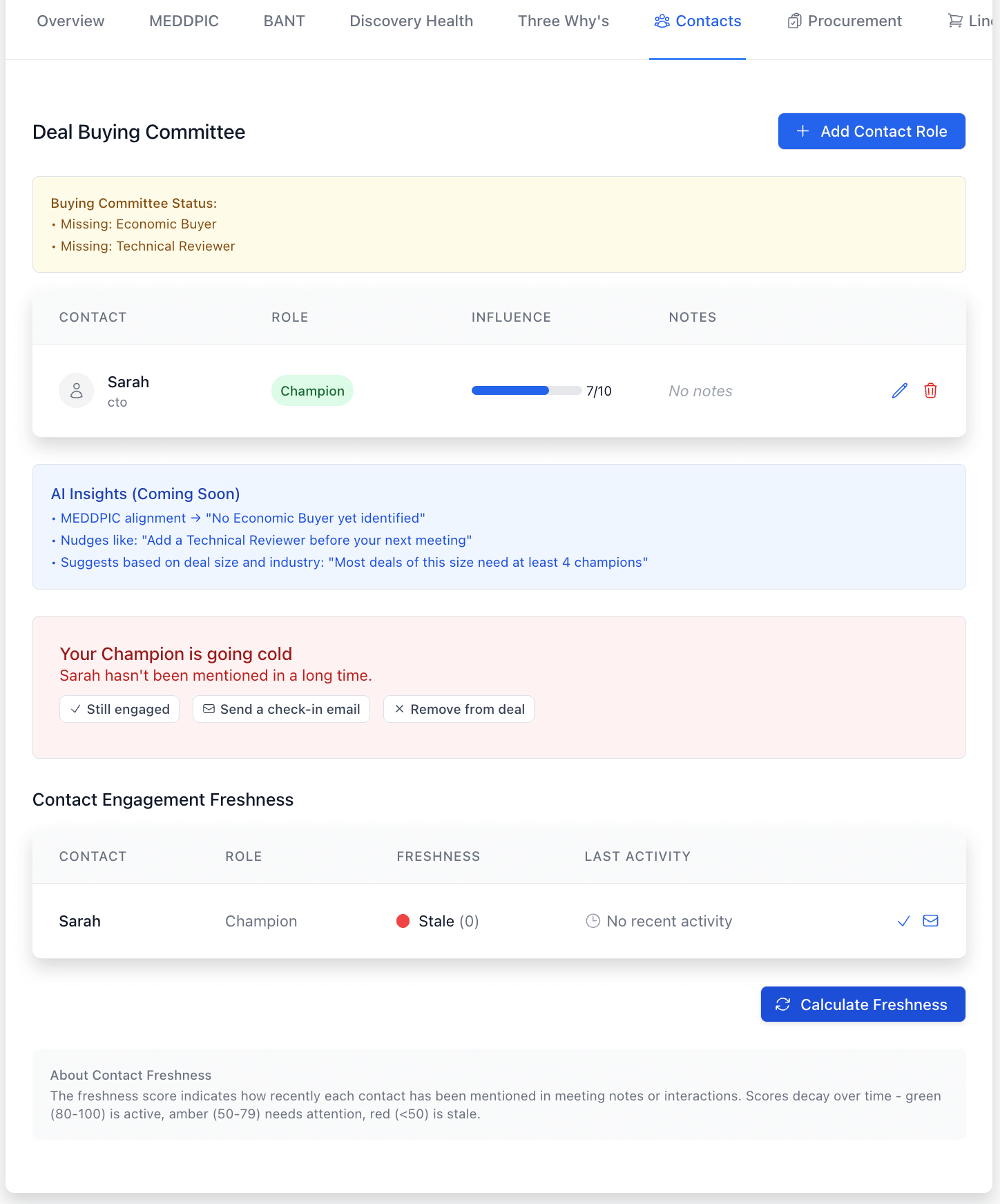
Contact Freshness Dashboard: Monitor engagement with buying committee members and get alerts when key relationships need attention
Understanding Freshness Scores
Each contact is assigned a freshness score from 0-100 that automatically updates based on activity:
| Score | Status | Indicator | Action Needed |
|---|---|---|---|
| 80-100 | Active | 🟢 Green | Continue regular engagement |
| 50-79 | Needs Attention | 🟡 Yellow | Plan outreach within 1-2 weeks |
| 0-49 | Stale | 🔴 Red | Immediate action required |
Scores are calculated based on:
- Recent mentions in meeting notes
- Calendar meetings with the contact
- Email communications
- Manual confirmations of engagement
Key Features
1. Stale Contact Alerts
When a Champion or Economic Buyer's freshness score drops below 50, you'll see a prominent alert at the top of the dashboard. This alert includes:
- The contact's name and role
- How long it's been since their last engagement
- Quick action buttons to address the situation
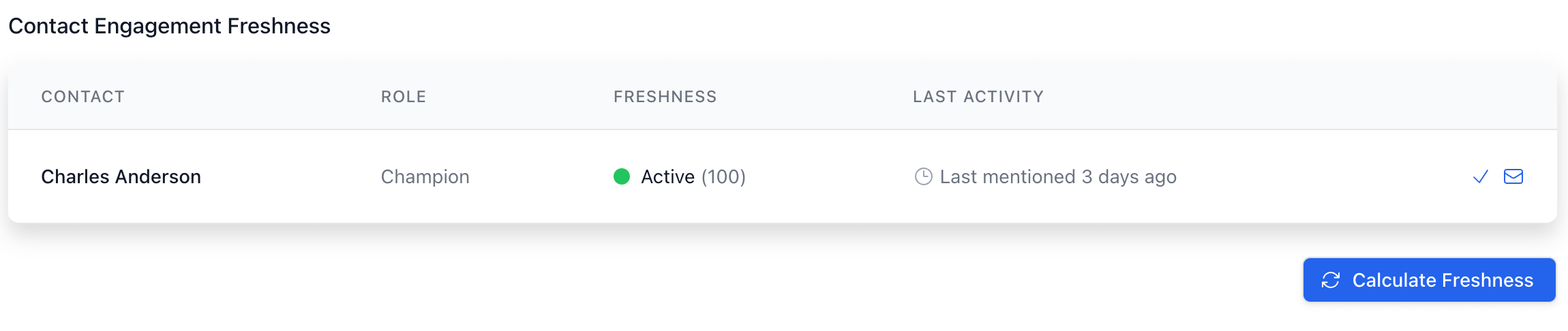
Stale Contact Alert: Get notified when critical contacts haven't been engaged recently
2. Contact Engagement Table
The comprehensive table shows:
- All buying committee members
- Their roles in the deal
- Current freshness score with visual indicator
- Last recorded activity with timestamp
- Quick action buttons

Contact Engagement Table: Comprehensive view of all contacts' freshness status
3. Action Tools
For each contact, you can:
- Confirm Engagement (✓): Use this when you've had an interaction that the system hasn't automatically captured. This immediately refreshes the contact's score.
- Send Check-in Email (✉️): Opens your email client with a pre-populated template to quickly reach out to a contact.
- Remove from Deal (on stale contacts): If a contact is no longer involved in the buying process, you can remove them from the committee.
4. Calculate Freshness
The "Calculate Freshness" button triggers a manual recalculation of all contact freshness scores. This is useful after:
- Adding new meeting notes
- Importing email conversations
- Making changes to the buying committee
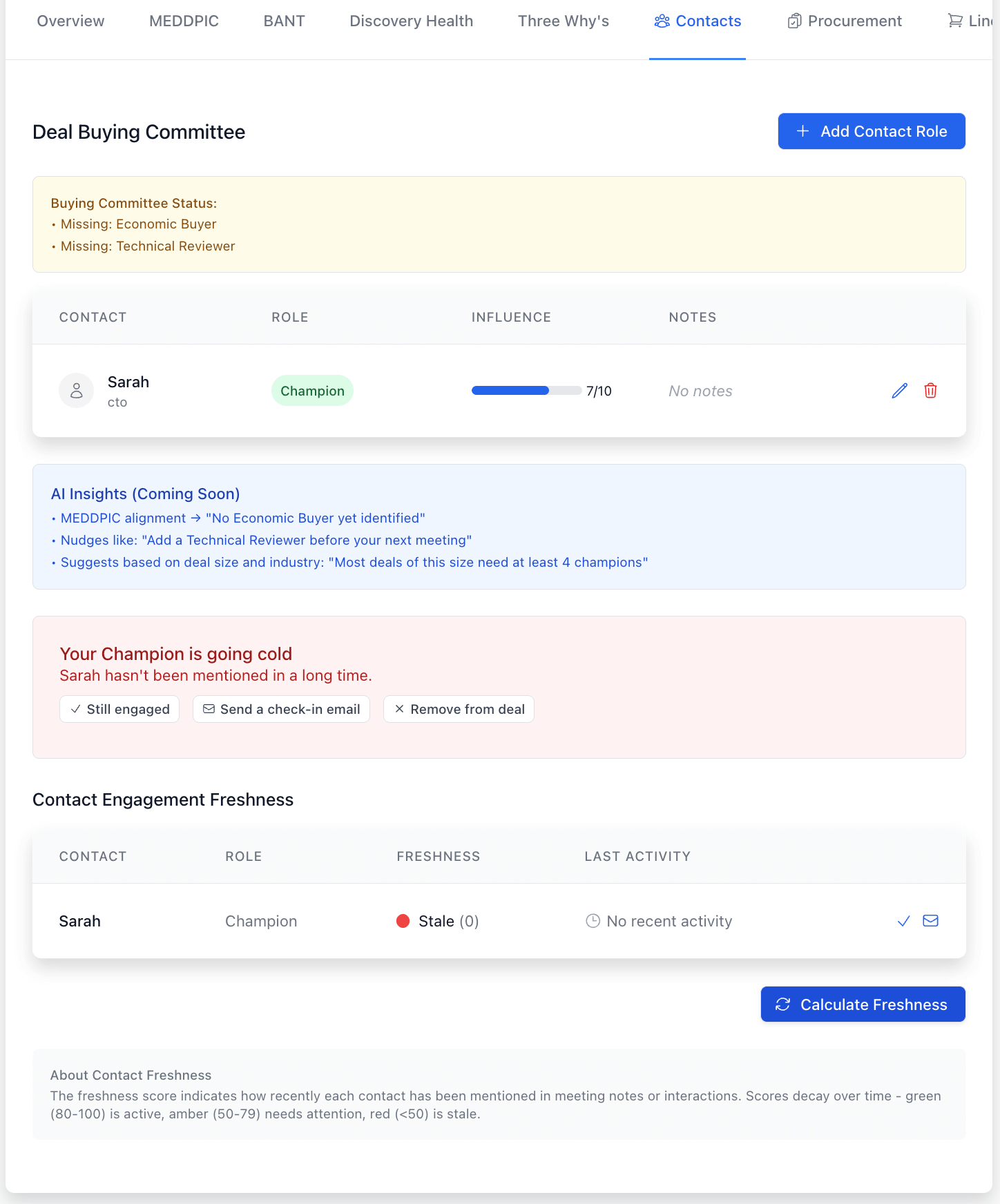
Calculate Freshness: Manually trigger score recalculation after adding new data
Best Practices
- Check freshness scores at least weekly
Start your week by reviewing which contacts need attention and planning your outreach accordingly. - Always confirm engagements the system missed
If you have phone calls or informal interactions, make sure to click "Confirm Engagement" so your scores stay accurate. - Address red alerts immediately
When a Champion or Economic Buyer shows as stale (red), make contact within 24 hours. - Update your buying committee regularly
Remove contacts who are no longer involved and add new stakeholders promptly. - Record detailed meeting notes
The system scans notes to detect mentions of contacts, so be specific about who attended and participated.
Troubleshooting
Freshness score seems wrong:
- Click "Calculate Freshness" to trigger a manual update
- Check that the contact's name is spelled consistently in your notes
- Confirm the contact is properly linked to their company record
Alert won't disappear after outreach:
- Click "Confirm Engagement" after making contact
- Allow 24 hours for email interactions to be detected automatically
- Verify the email address matches their contact record
Need to bulk update multiple contacts:
- After a group meeting, use "Calculate Freshness" rather than updating individually
- Add detailed notes mentioning each attendee by name
Getting Help
If you encounter any issues with the Contact Freshness feature:
- Check the in-app help documentation (click the "?" icon)
- Contact your sales operations team
- Submit a support ticket through the help desk
Remember: Maintaining regular engagement with your buying committee is one of the strongest predictors of deal success. The Contact Freshness tool helps you stay on top of these critical relationships and prioritize your outreach efforts for maximum impact.